Galaxy Tab S12 Ultra: Light Despite Its Large Screen, and Easy to Take on Trips [Hands-on]
- Input
- 2026-10-11 14:22:23
- Updated
- 2026-10-11 14:22:23
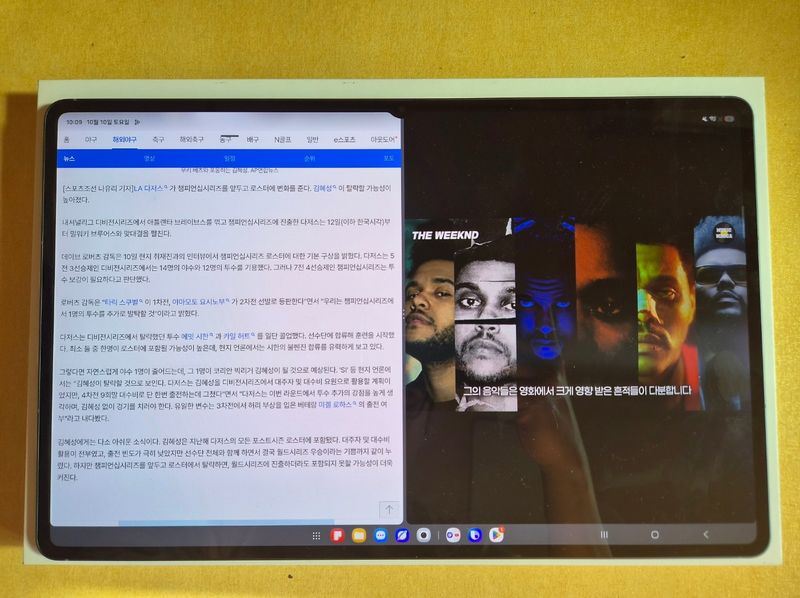
[The Financial News] I watched movies on a 14.6-inch large-screen tablet while traveling, and found my companions at a concert venue packed with 50,000 people using a location tracker smaller than my palm. These were experiences from using Samsung Electronics’ Galaxy Tab S12 Ultra and Galaxy SmartTag3 for about 10 days. The two products enhanced their usefulness for travel and everyday life with their large screen and location-finding features, respectively.
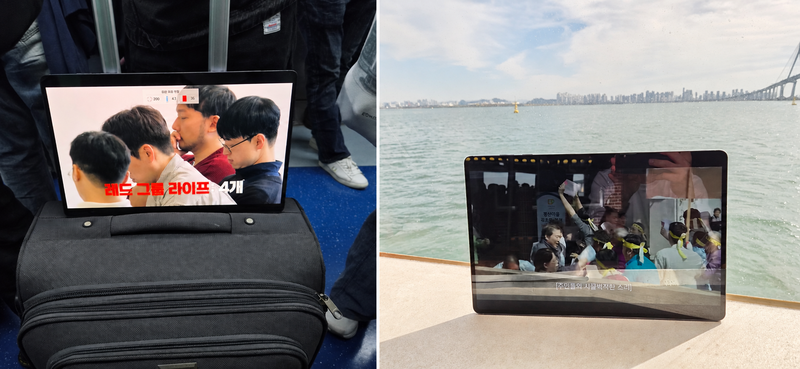
I don’t usually take many electronic devices with me when I travel, other than my smartphone. But on a trip last weekend, bringing the Galaxy Tab S12 Ultra along was not much of a burden. It was also convenient that I could start using it simply by turning on the screen, without having to unfold a keyboard as I would with a laptop.
My parents especially liked it. During our subway and boat rides, we watched Netflix movies on the Galaxy Tab S12 Ultra. They said that while watching movies on a smartphone screen was usually uncomfortable, the larger screen made them easier to watch this time. After watching videos on the tablet and switching back to my smartphone, its familiar screen felt especially small.
The Galaxy Tab S12 Ultra has a 14.6-inch screen, is 5.1 mm thick and weighs about 690 g. Its screen is nearly laptop-sized, but its weight is relatively manageable. Its screen is larger than that of the iPad Pro, whose largest screen size is 13 inches, making it better suited to watching videos or viewing several documents at once. It also supports Vision Booster, which adjusts the display according to ambient brightness, so viewing the screen outdoors was not especially difficult.
Its processing performance has also improved. According to Samsung Electronics, compared with its predecessor, the Galaxy Tab S11 Ultra, performance is about 19% higher for the central processing unit (CPU), about 17% for the graphics processing unit (GPU) and about 61% for the neural processing unit (NPU). It also features a 3D vapor chamber to dissipate heat from inside the device. After fully charging the battery, I continuously played YouTube videos at 1080p and was able to use it for about 15 hours, with almost no noticeable heat.
The included S Pen was useful for working on documents. I could split the screen into three sections to display videos and documents and take notes, making it convenient to handle several tasks at once. Another advantage is that, unlike with the iPad Pro, which requires you to buy an Apple Pencil separately, you can use a pen without paying extra.
The product is the first Android tablet to come with Adobe Photoshop preinstalled. However, I did not use Photoshop during my hands-on test, so it was difficult to assess how useful it would be for photo editing or design work.
However, the Galaxy Tab S12 Ultra costs 1,899,700 won (for the Wi-Fi, 256GB model), which may feel expensive if you mainly use it for watching videos or working on documents.
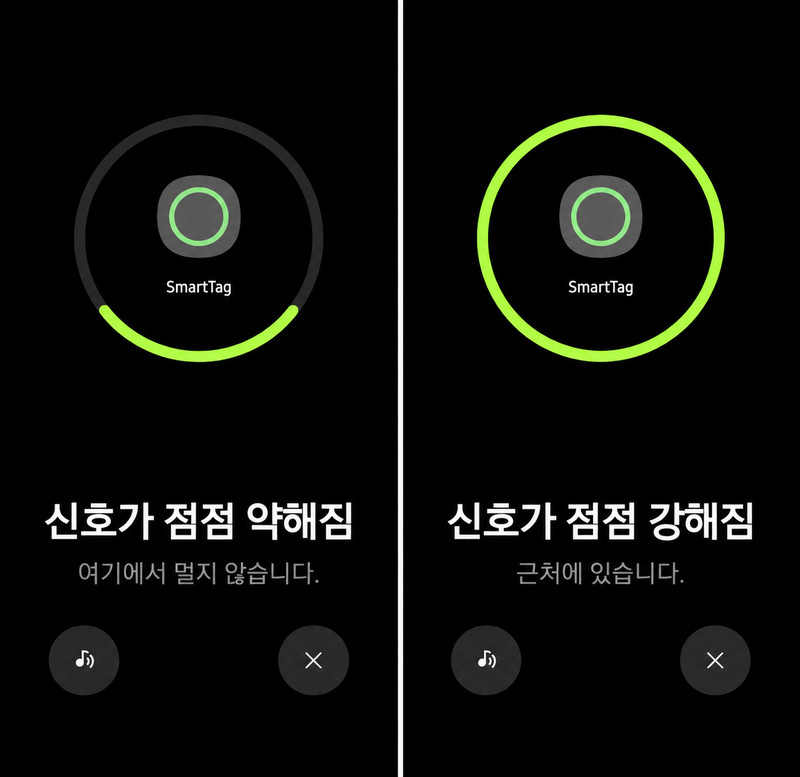
In everyday use, the “Search Nearby” feature and the function that plays a sound to help find a smartphone were convenient. When I could not remember where I had left my phone, double-pressing the SmartTag3 button made the phone play an alert. Conversely, I could use my smartphone to make the SmartTag3 emit a sound and find the item it was attached to. If I knew the item was nearby but could not see it, I could follow the sound to find it.
The device-finding feature also let me check the locations of Galaxy Tab tablets and Buds, as well as smartphones. Buds can be located one earbud at a time, which seemed useful if you lost just one.
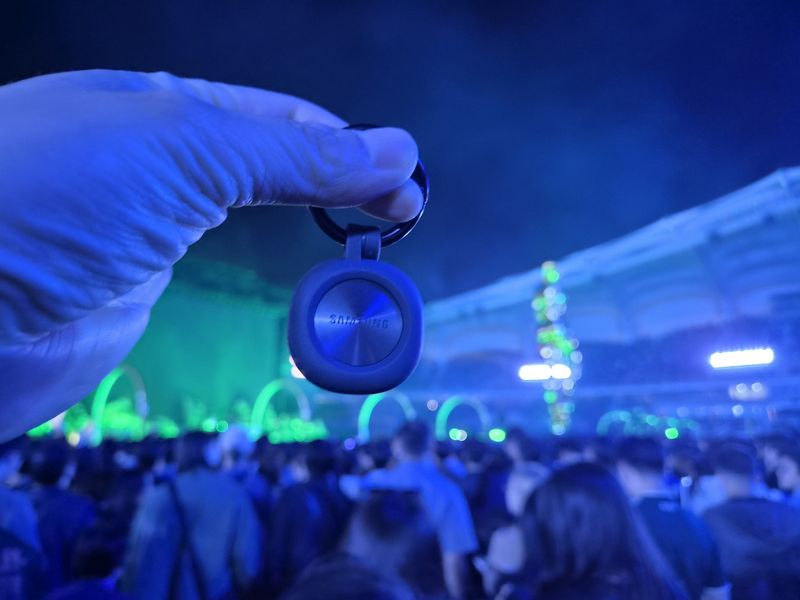
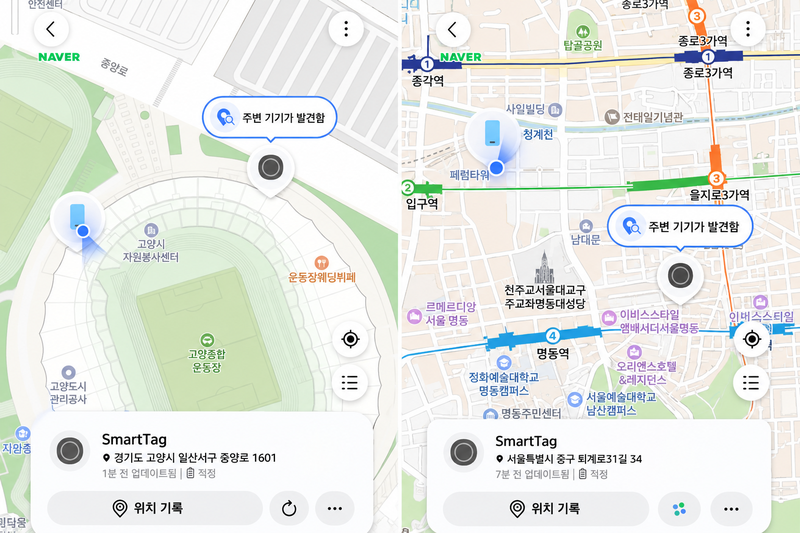
It could also be used to find people in crowded places. On the 7th, I used a SmartTag3 attached to someone in my group at a stadium concert attended by around 50,000 people. When we briefly separated—for example, while someone went to the restroom—and met up again, I could check the location and make the tag play a sound if needed. In a packed venue where it was hard to find companions just by looking around, the SmartTag3 helped me work out which direction to go.
Depending on the settings, you could also receive an alert when an item fitted with a tag left a designated area. Attaching one to a suitcase or a bag you carry often seemed like a useful way to keep track of its location.
Location updates were a drawback, however. The location did not change in real time while I was using it, and sometimes I had to tap refresh to see the updated location. When the item was far away, a map and address appeared, making it possible to identify the specific place. But to tell whether it showed the current location, I also had to check when it was last updated.
[email protected] Yoon Hong-jip Reporter